
How to use painkillers
Painkillers are short, natural routines designed to help you relieve pain and move better fast - without medication or side effects.
Each session targets a specific area of the body and adapts to your pain level.
1. Find the Painkillers area
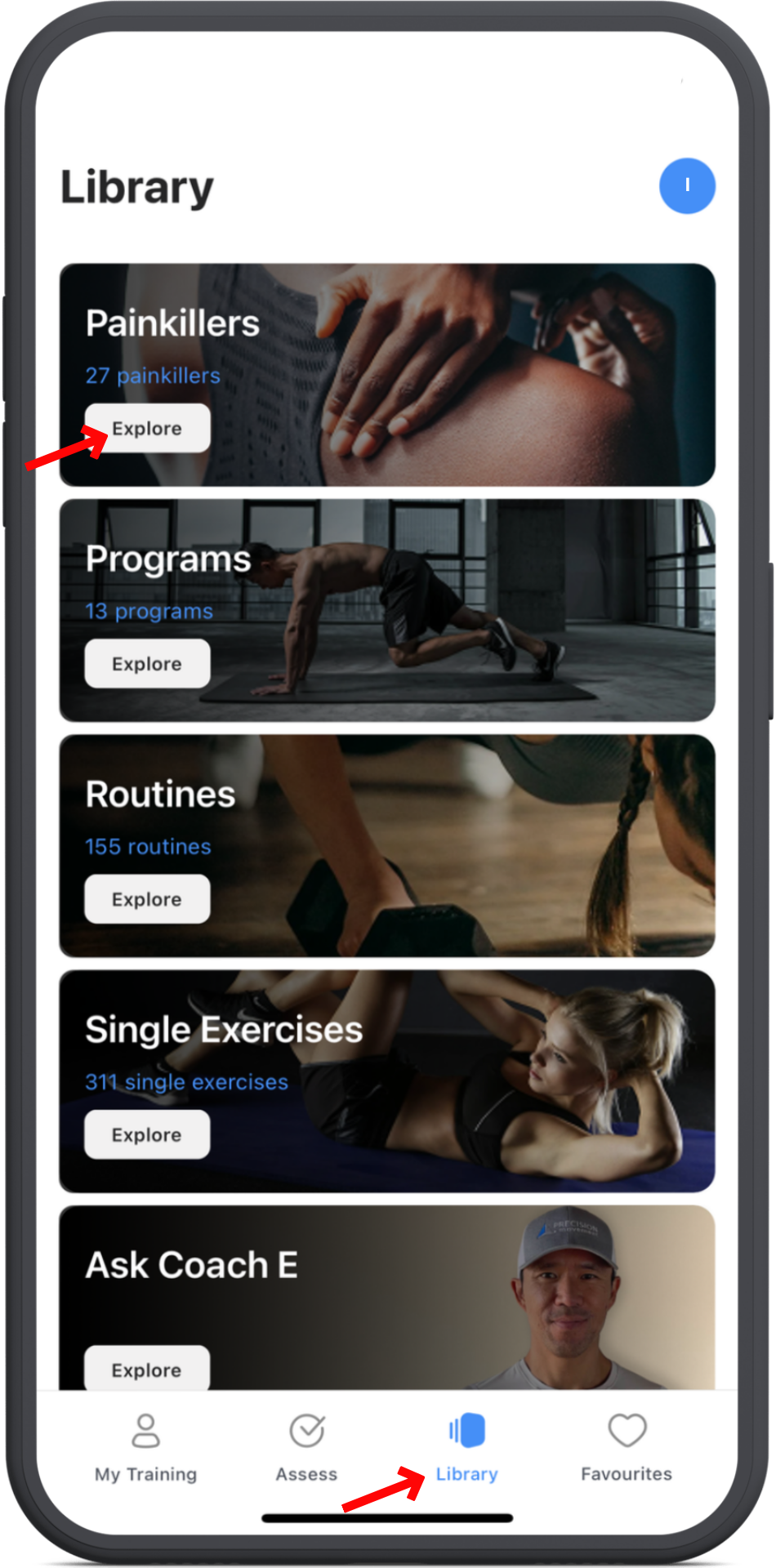
Open the ROM Coach app, then tap the Library tab at the bottom of your screen.
At the top, find Painkillers and tap Explore.
3. Tap where it hurts
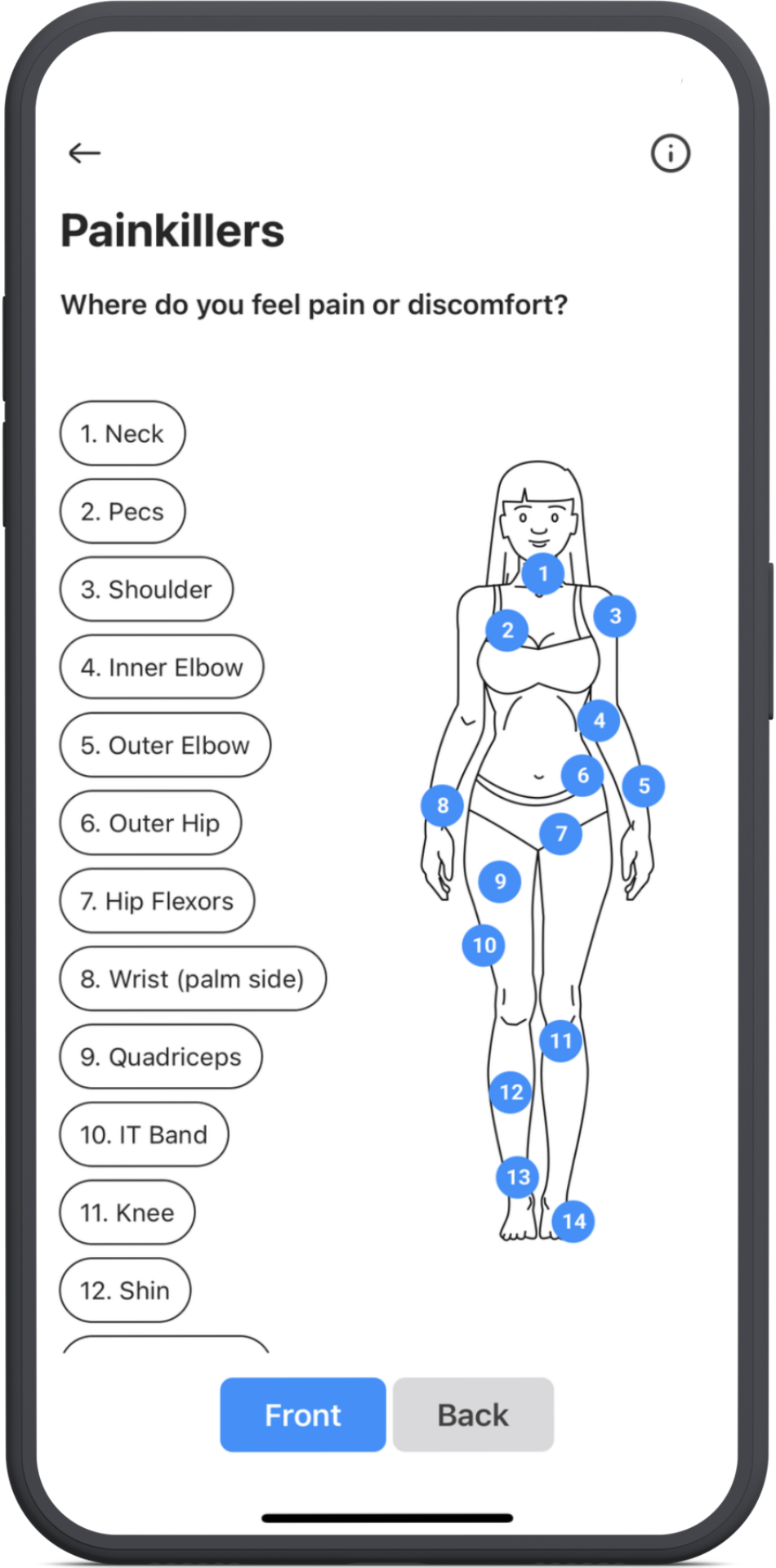
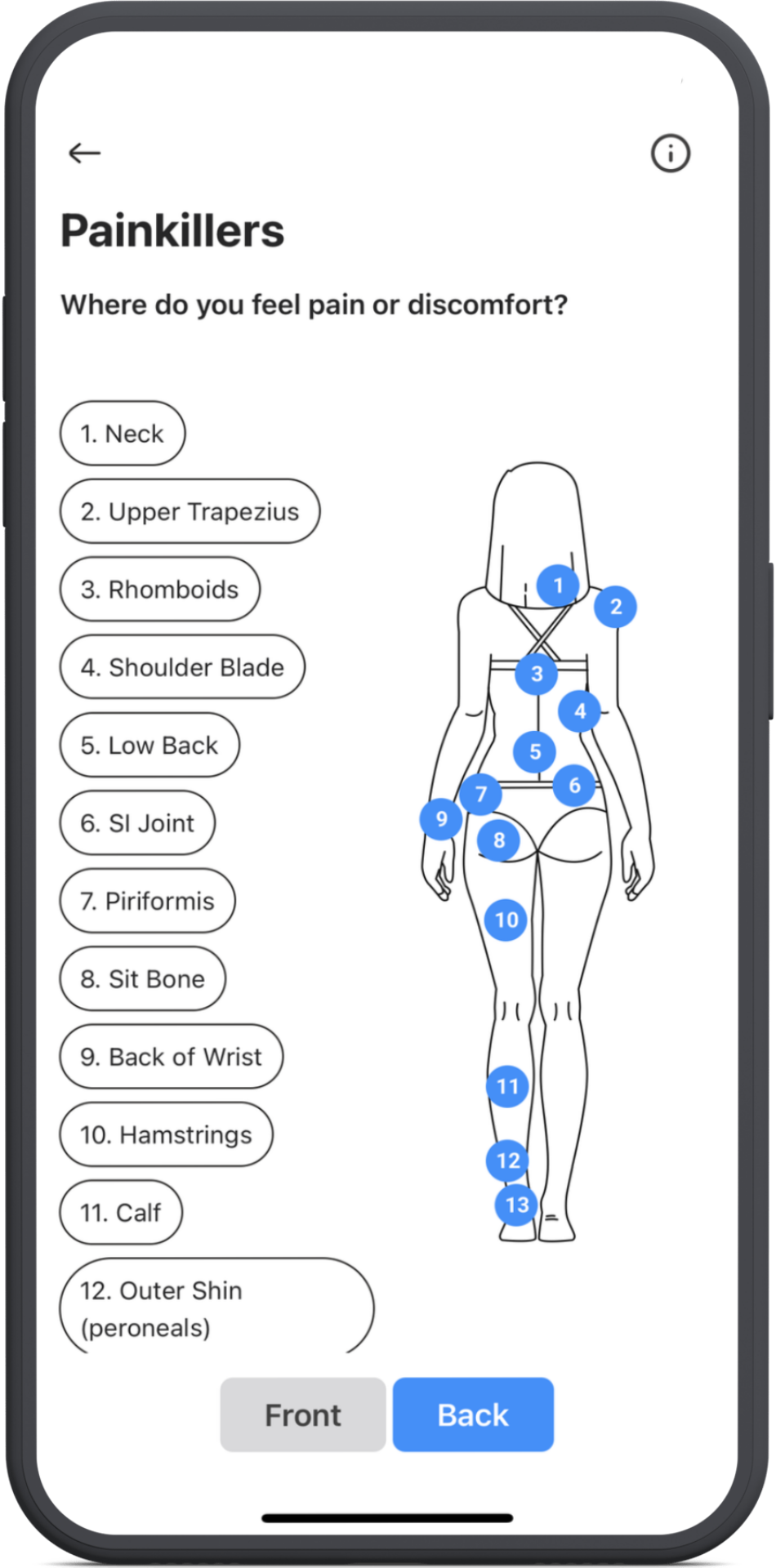
You’ll see a list of body areas on the left and a body graphic with numbered zones on the right.
Tap either a body area name or its number to select where you’re feeling pain.
You can also flip between the front and back of the body.
4. Set your pain level
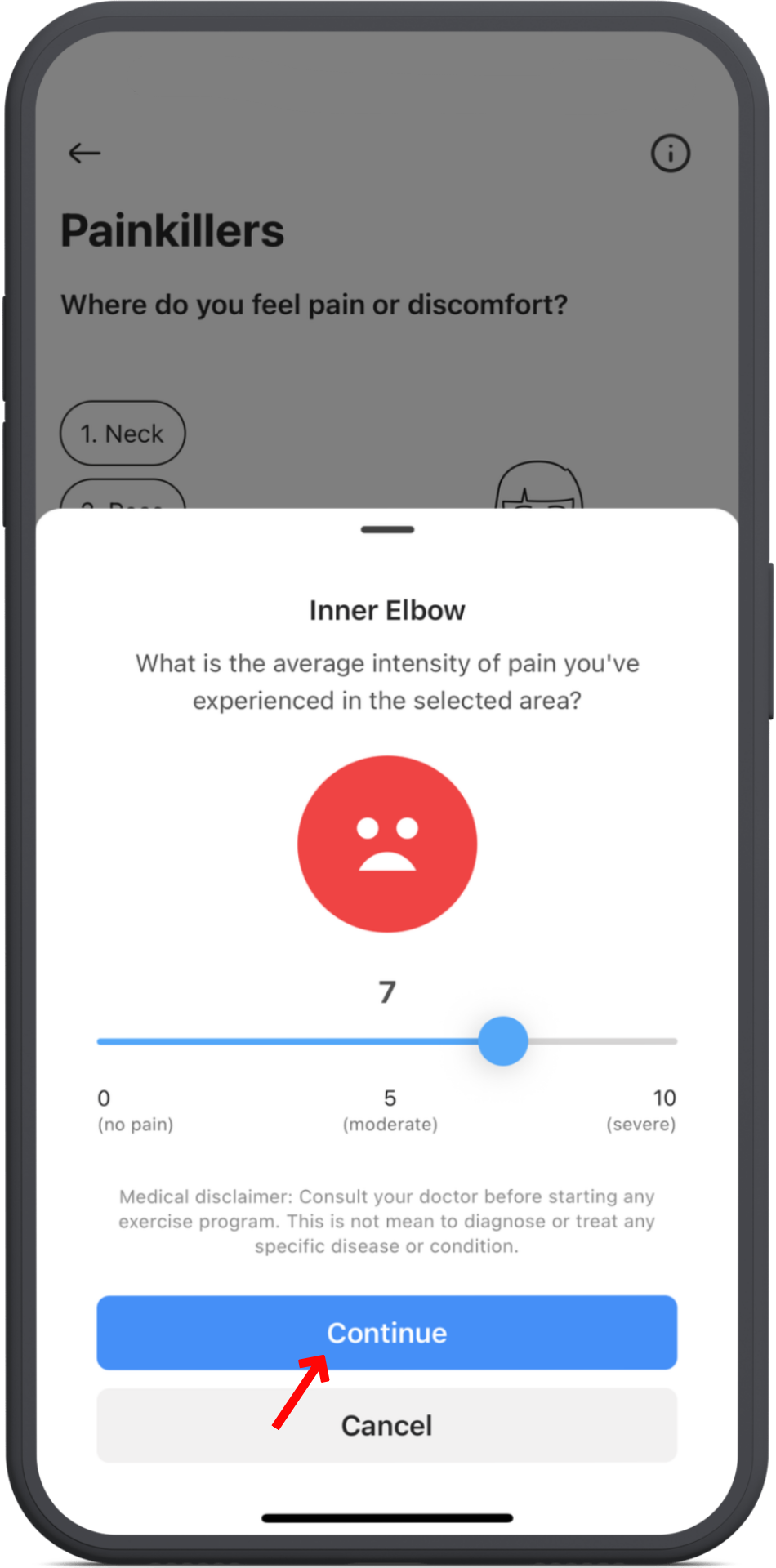
Select your current pain level from 0 (no pain) to 10 (severe pain), then tap Continue.
5. Follow the routine
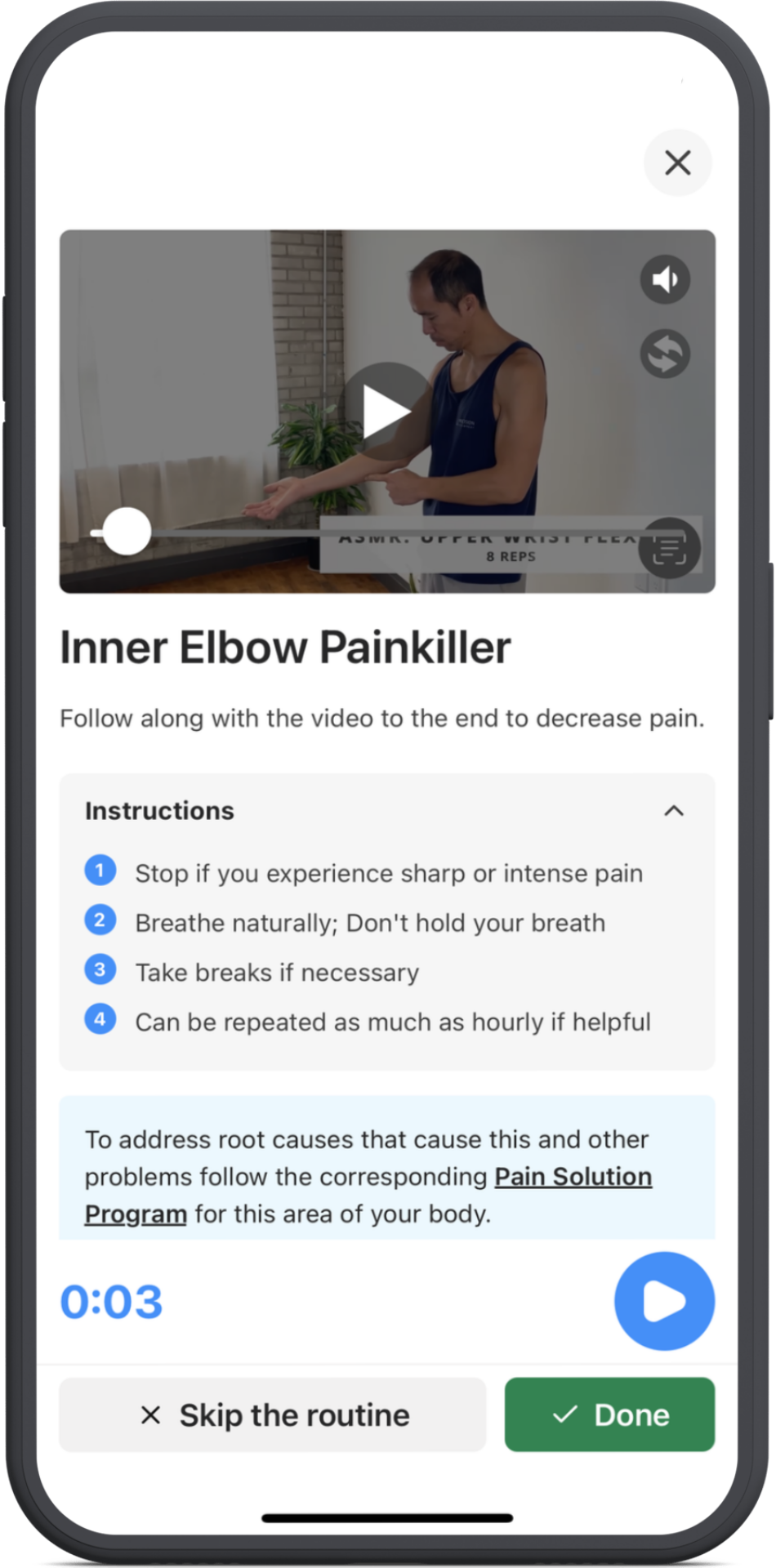
Watch the video and follow along with Coach E’s instructions.
If you prefer, scroll below the video to review the movement details.
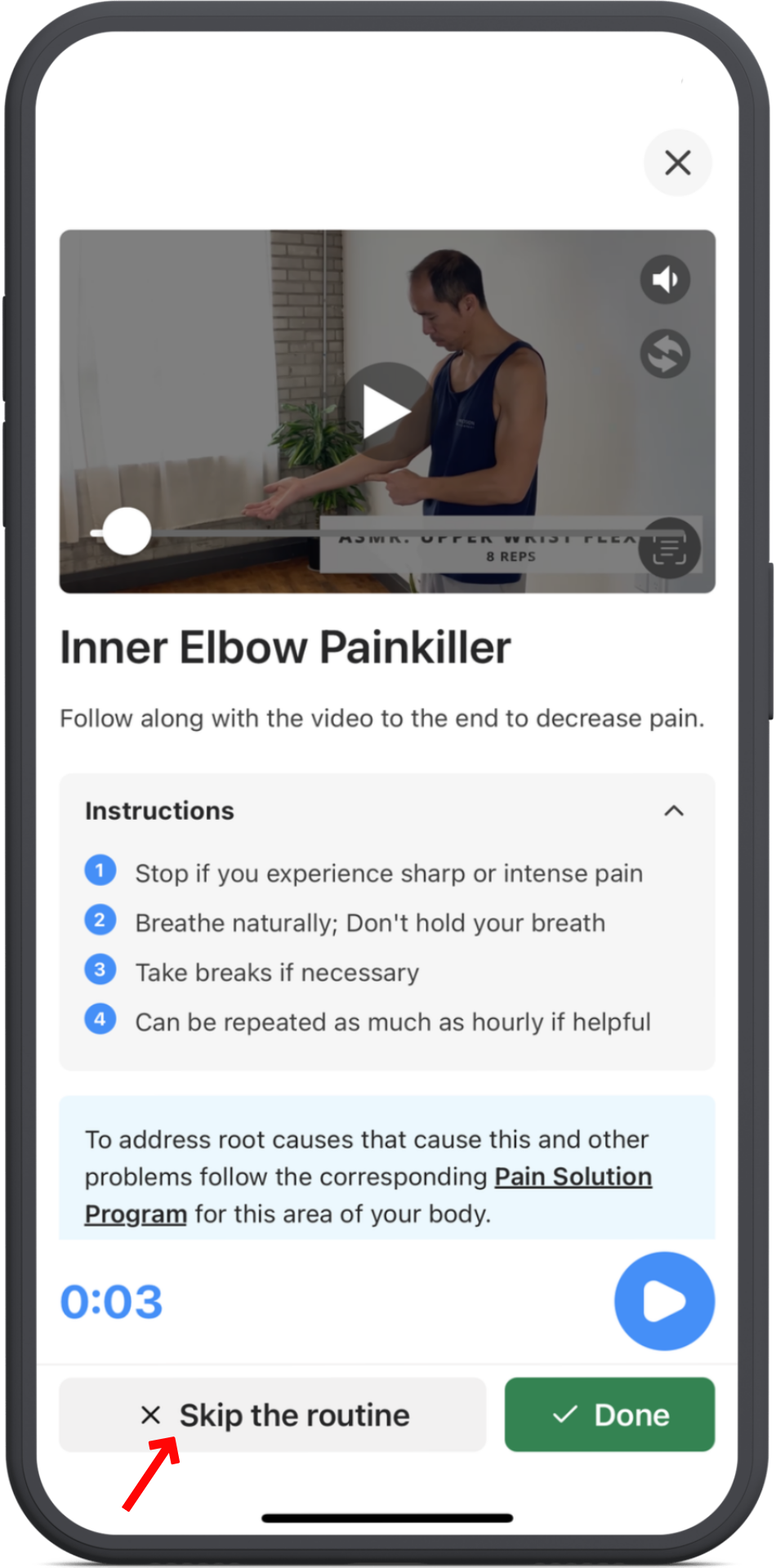
Can’t do a movement? Just tap Skip the routine.
5. What happens next?
When you’re done, tap Done, then select your new pain level and tap Continue again.
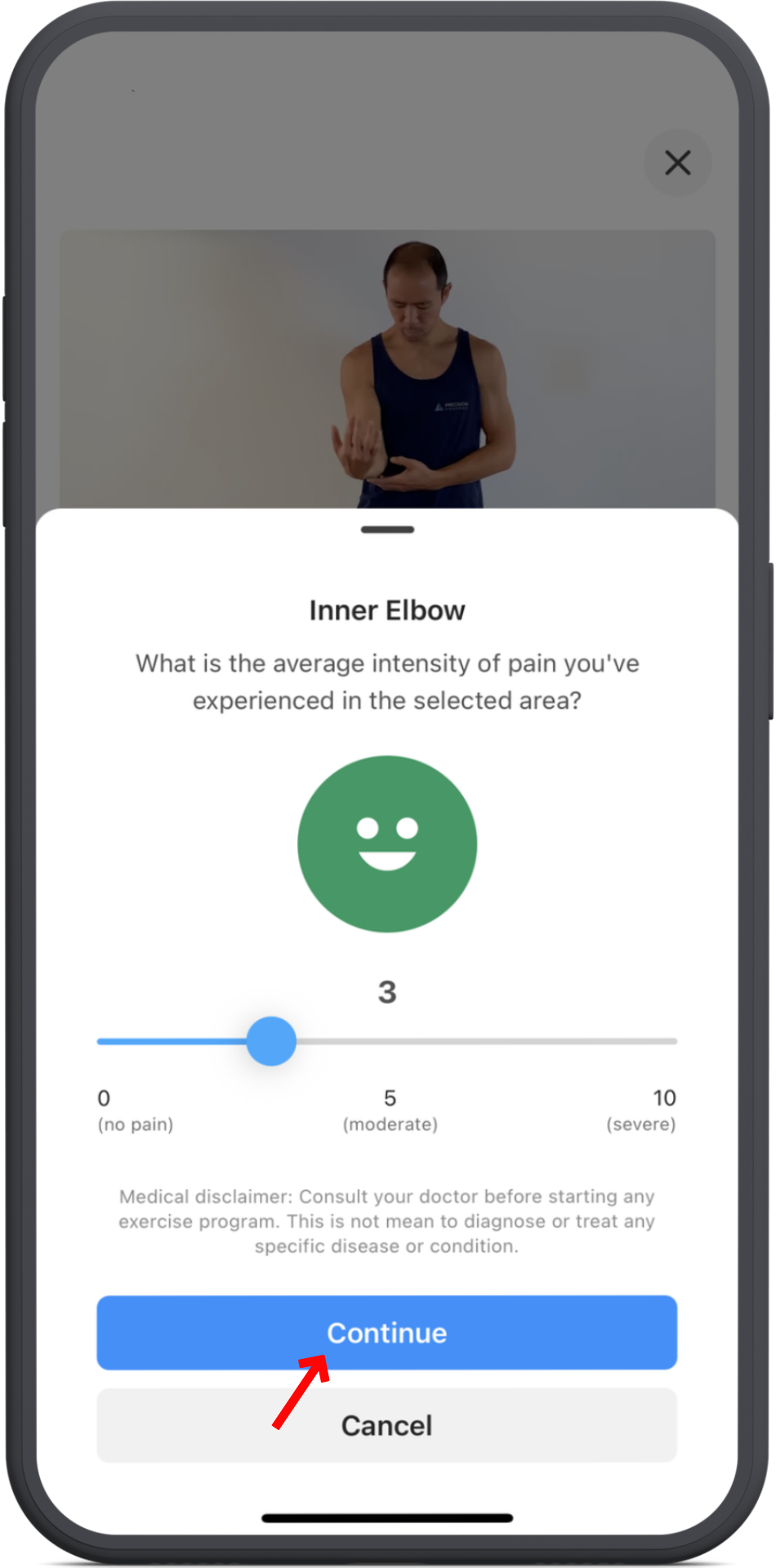
Depending on your results, you’ll see one of two options:
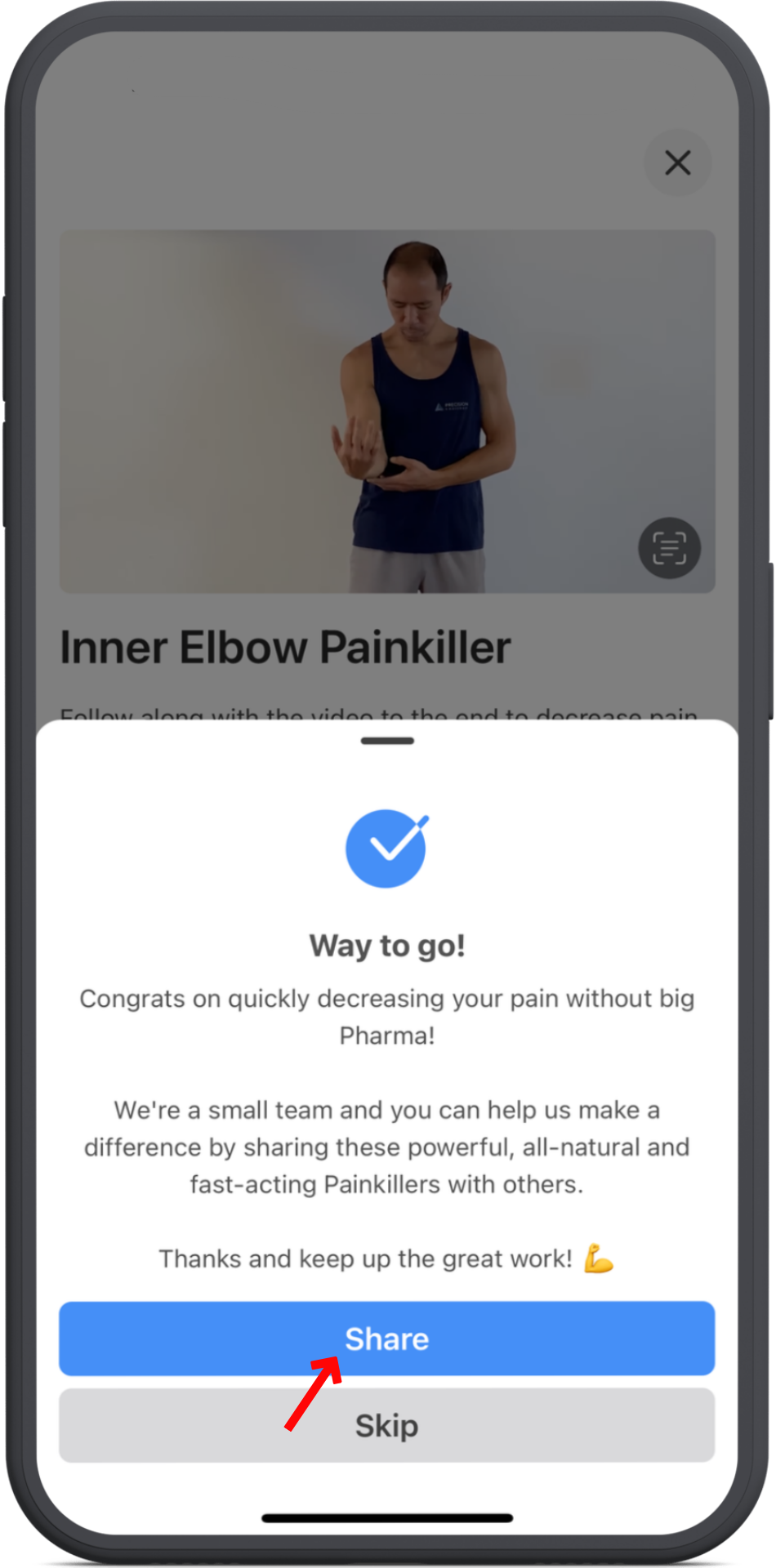
✅ Pain improved?
You’ll be invited to share Painkillers with others to help Coach E “heal the world.”
Your success could inspire someone else to find relief too.
❌ Still in pain?
You’ll have the chance to share feedback with Coach E so we can keep improving your experience and results.
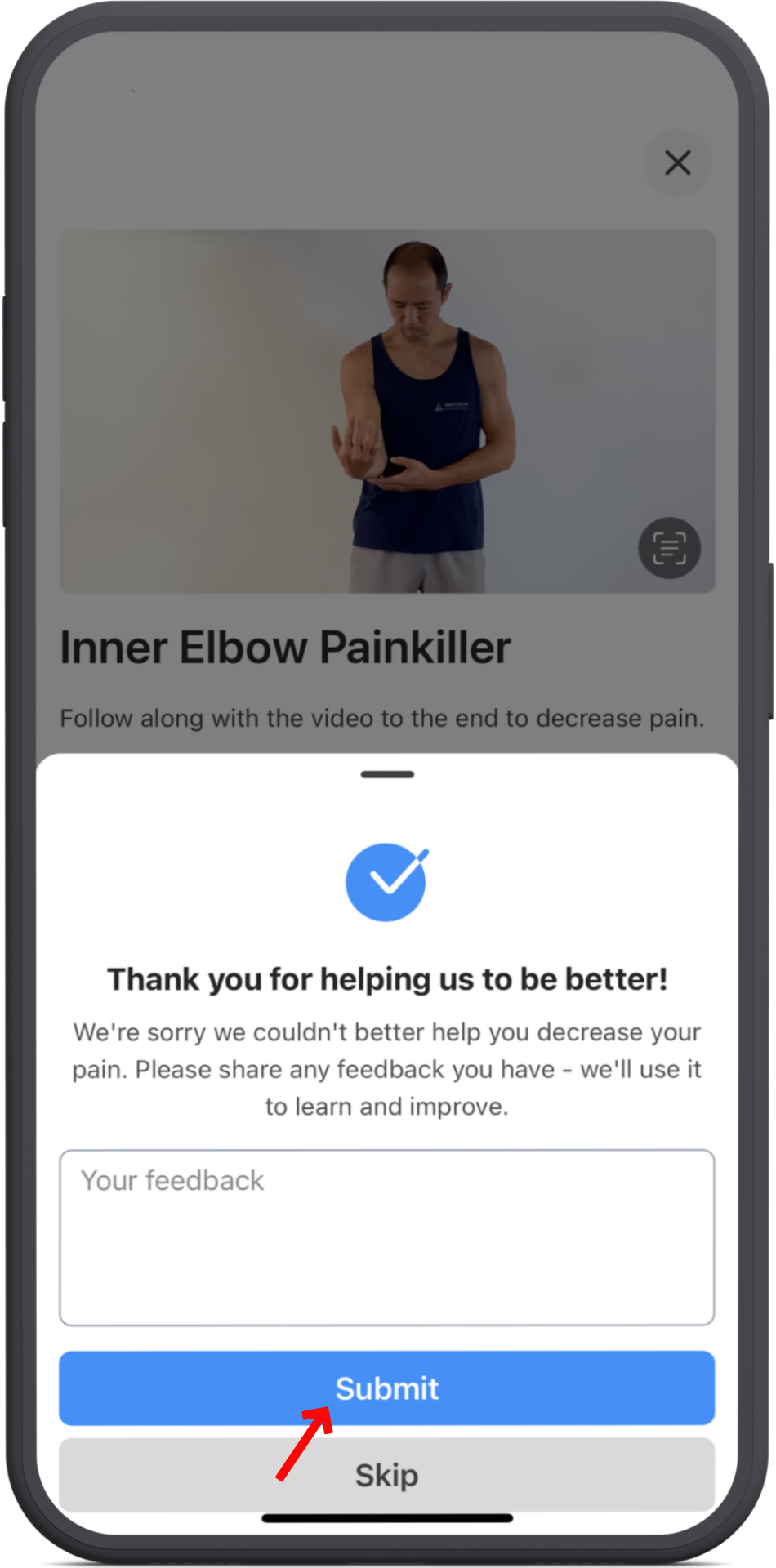
After that, you’ll return to the Painkillers main page, where you can select another painkiller or tap the arrow in the top left to go back.