How to setup push notifications
Push notifications are alert messages generated by ROM Coach that display reminders on your device. Even if the app is closed, you can stay on track with your daily movement tune-ups (DMT) and routines.
Follow these steps to set up notifications so you never miss a session:
1. Access your profile
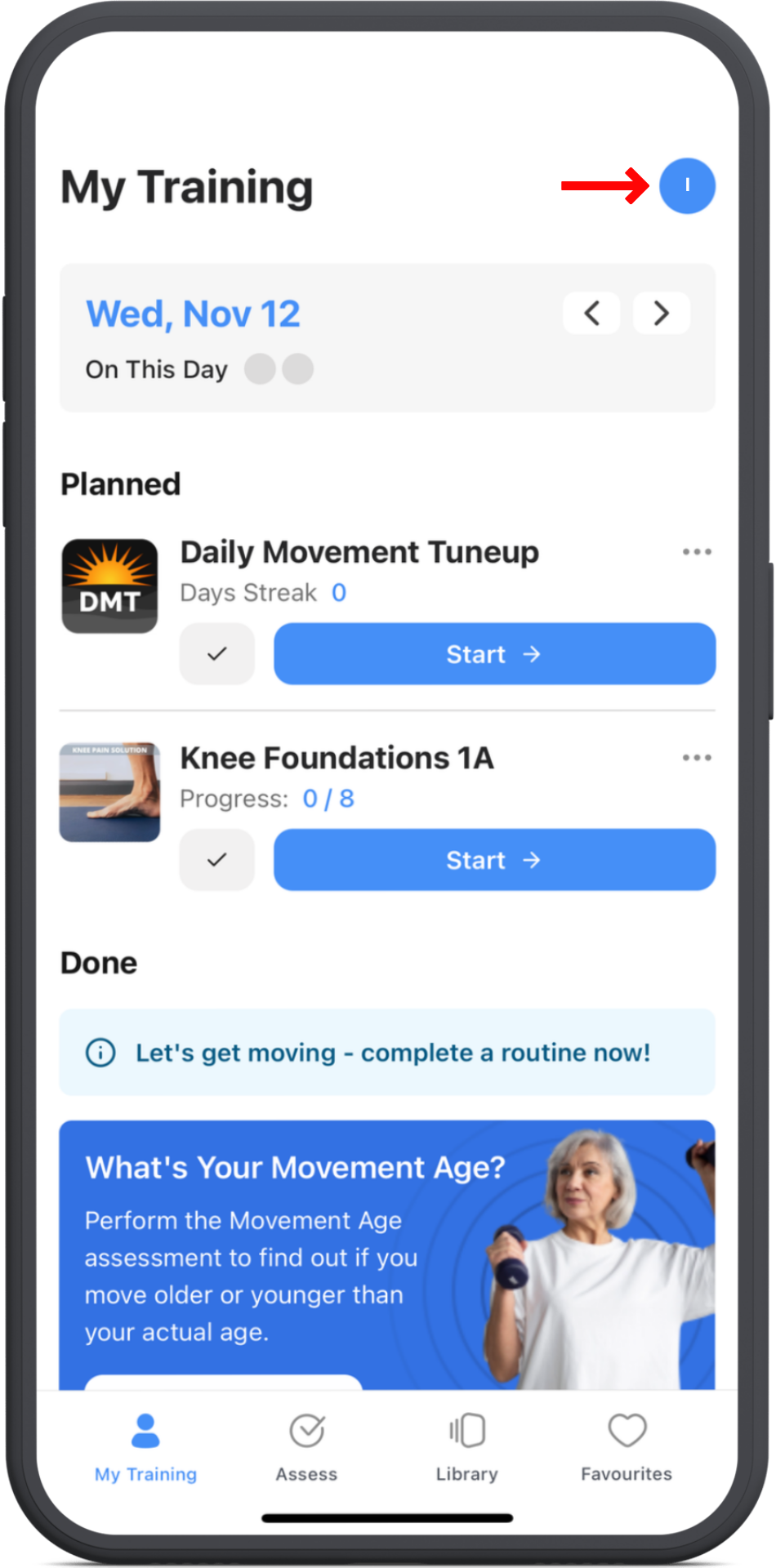
Tap the My Training icon at the bottom left of your device, then tap your profile icon at the top right of the screen.
2. Open notifications
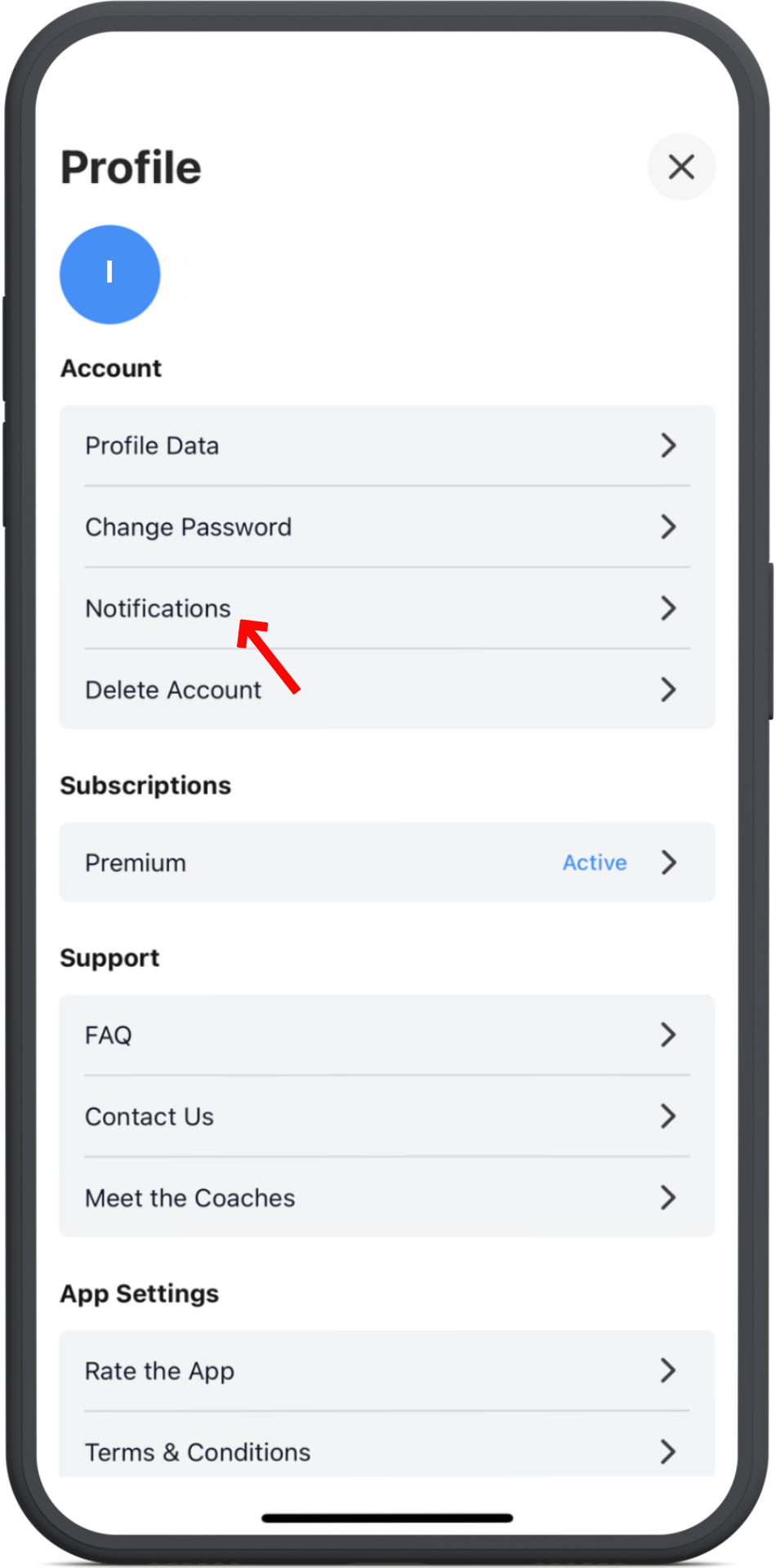
Select the Notifications menu near the top of your profile page.
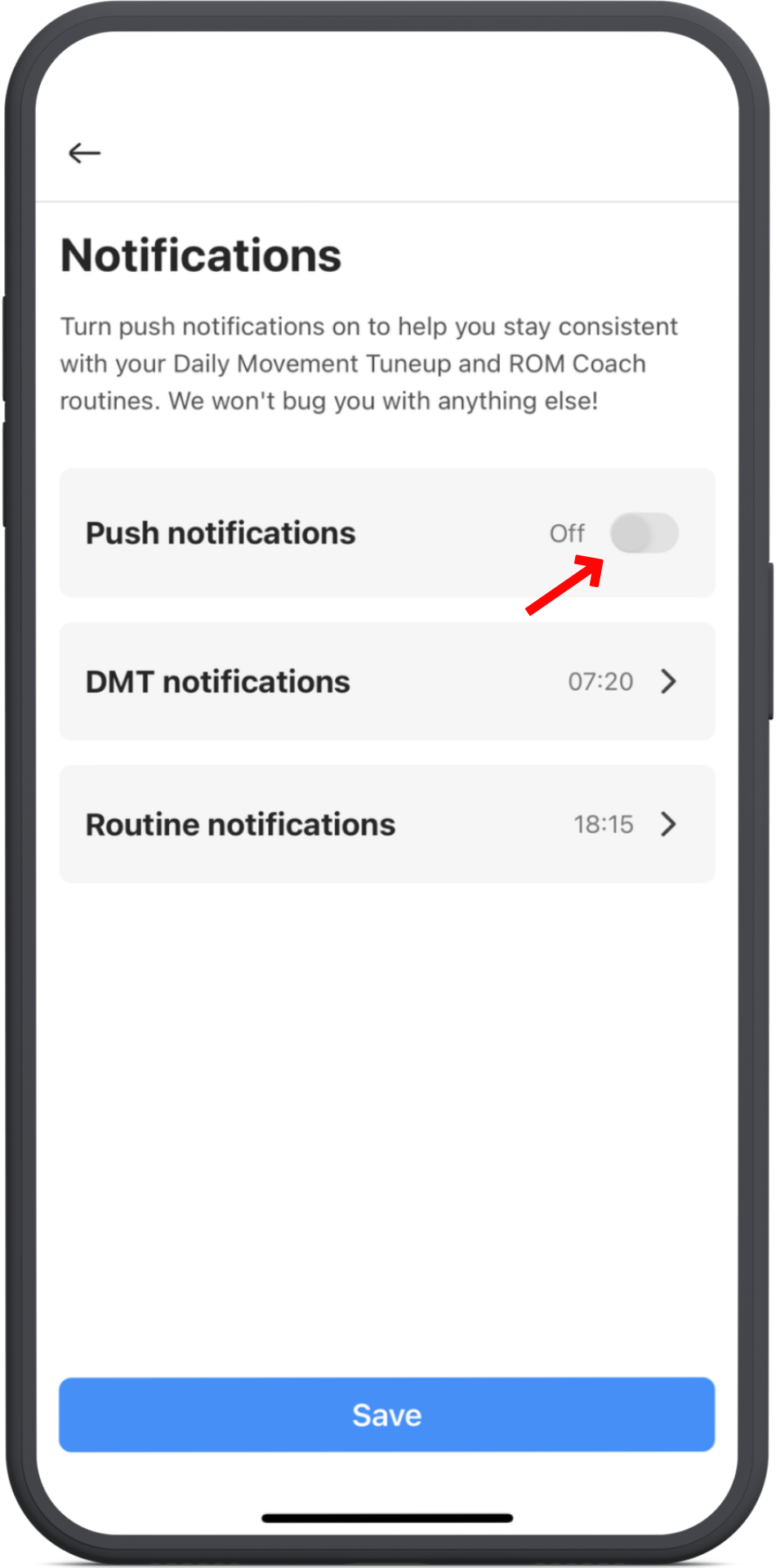
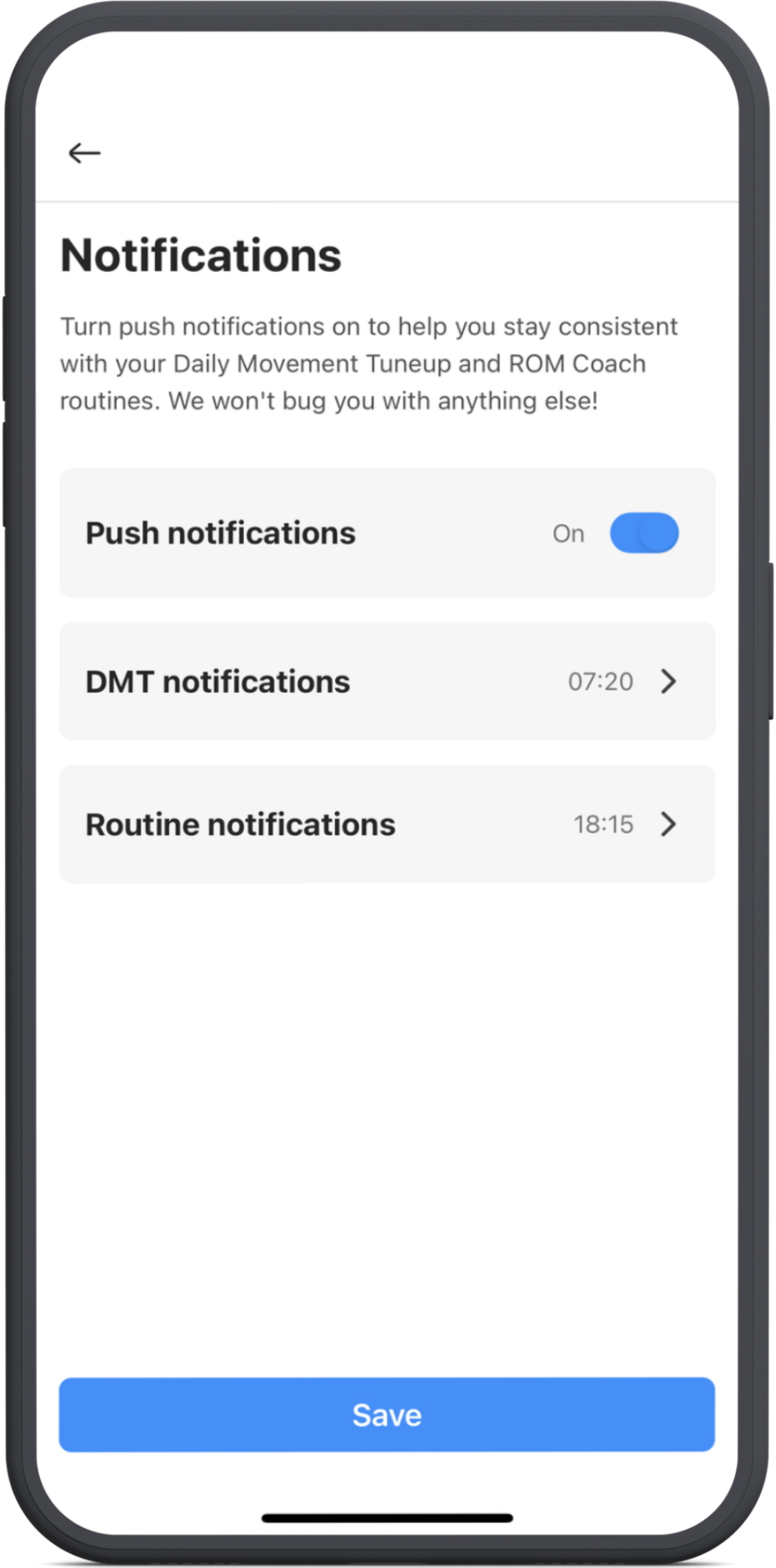
3. Enable push notifications
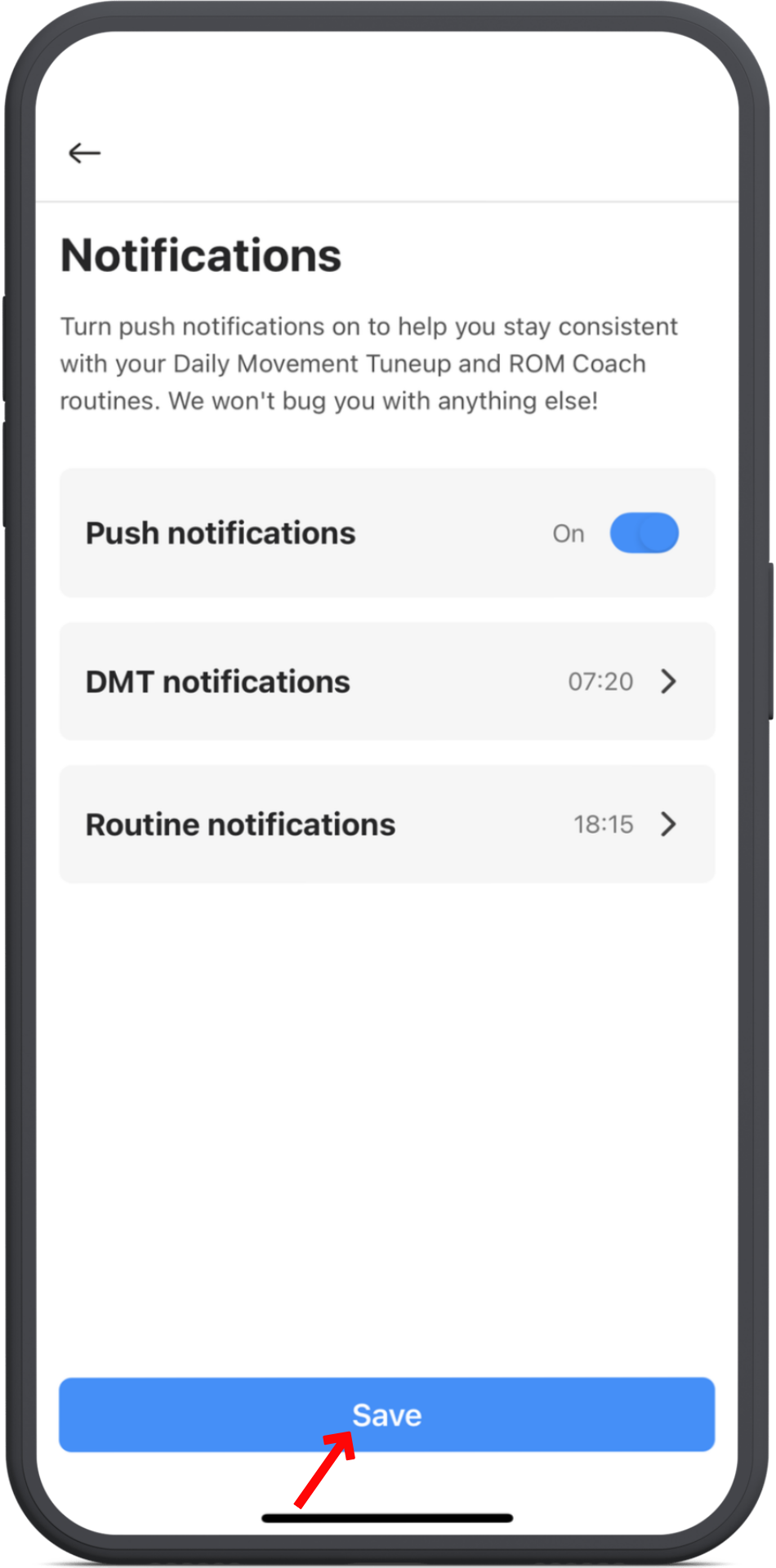
You’ll see the master switch for Push Notifications.
Tap it to turn all ROM notifications on or off.
4. Set your alert times
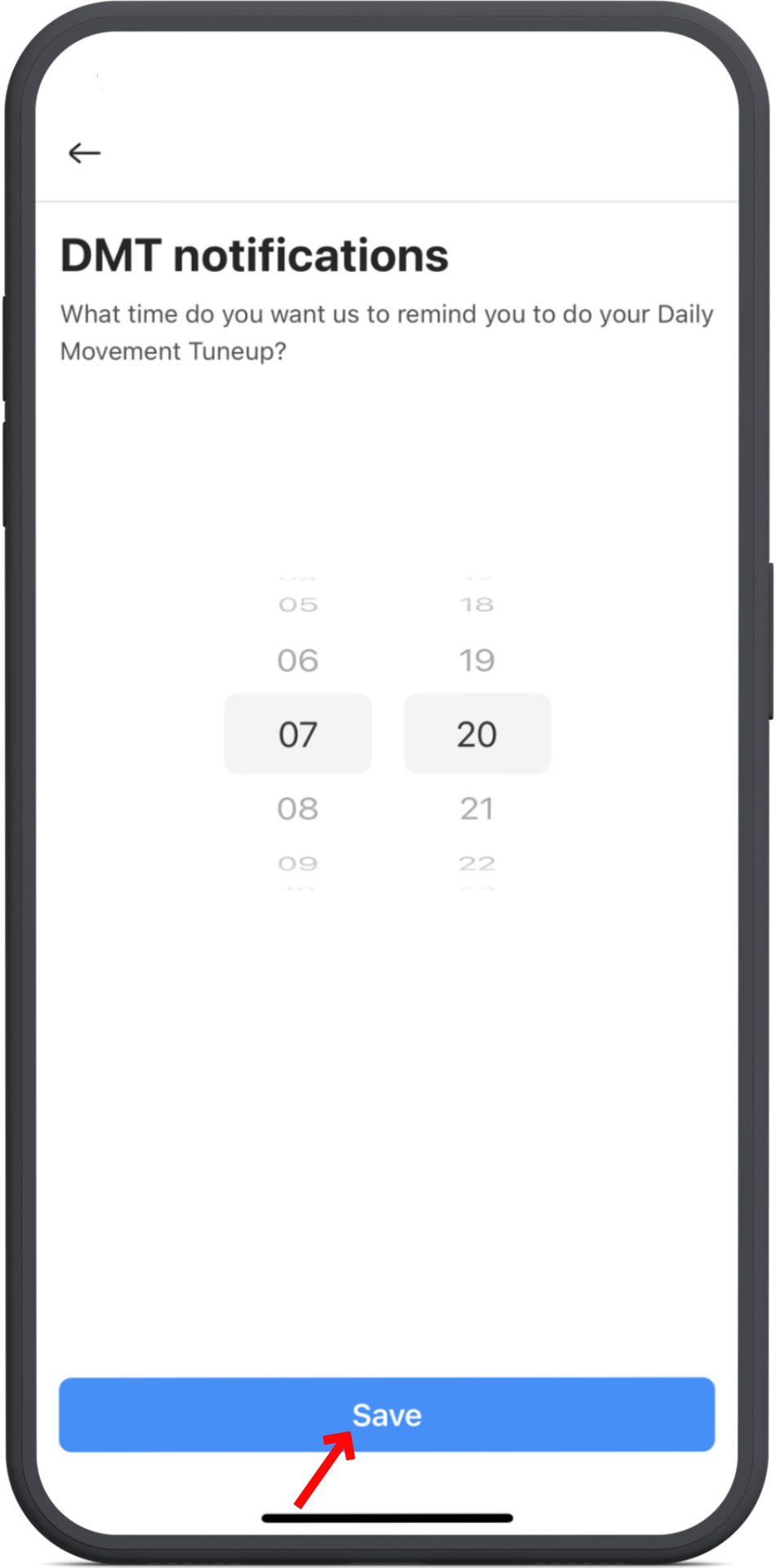
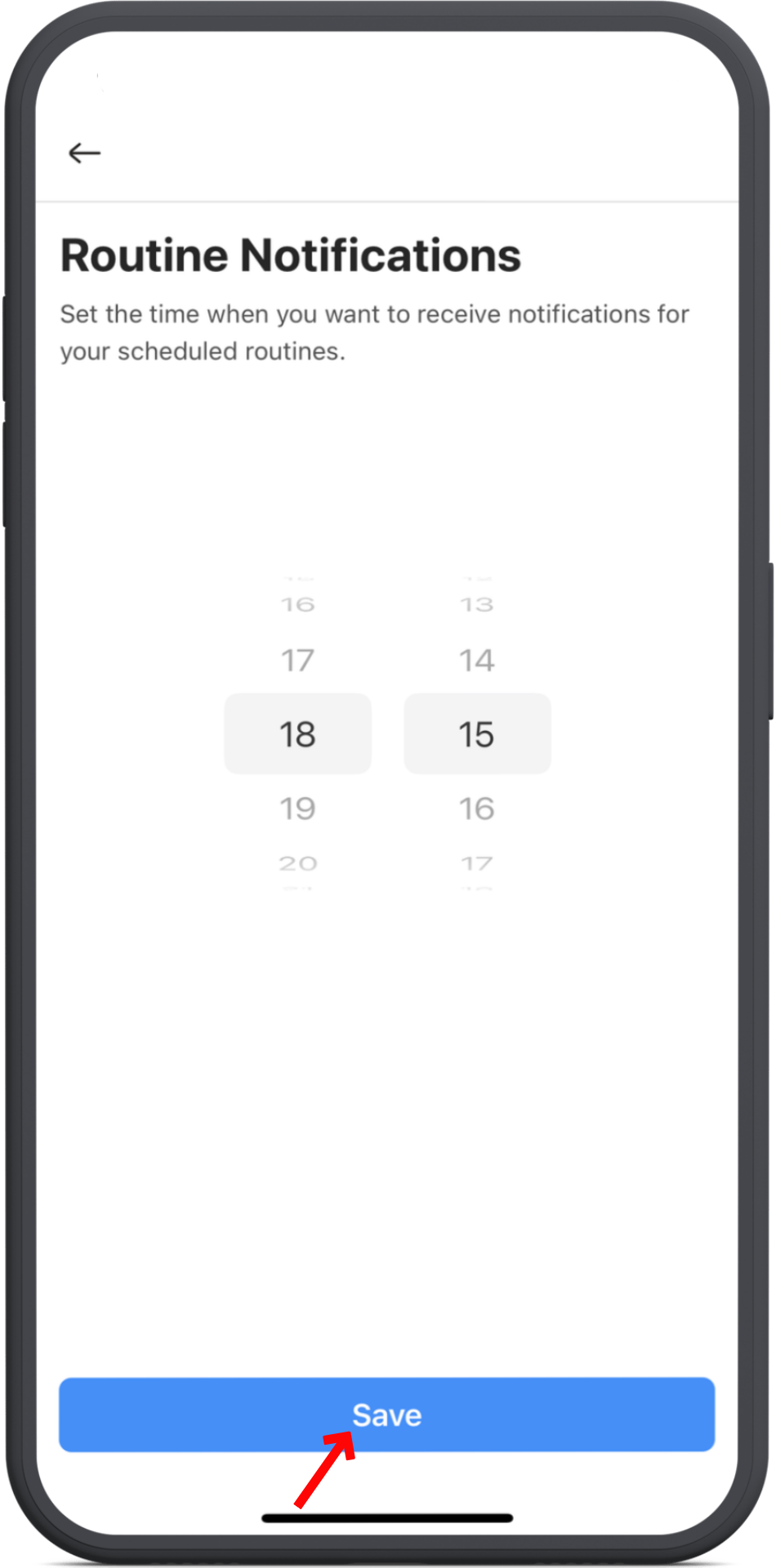
Once enabled, you can schedule alerts separately for:
- Daily Movement Tune-Up (DMT) - perfect for your morning session
- Routines - for your scheduled workouts later in the day
Tap Save when finished to confirm your settings.
5. Return to My Training
After setting your alert times, tap Save again on the Notifications screen.
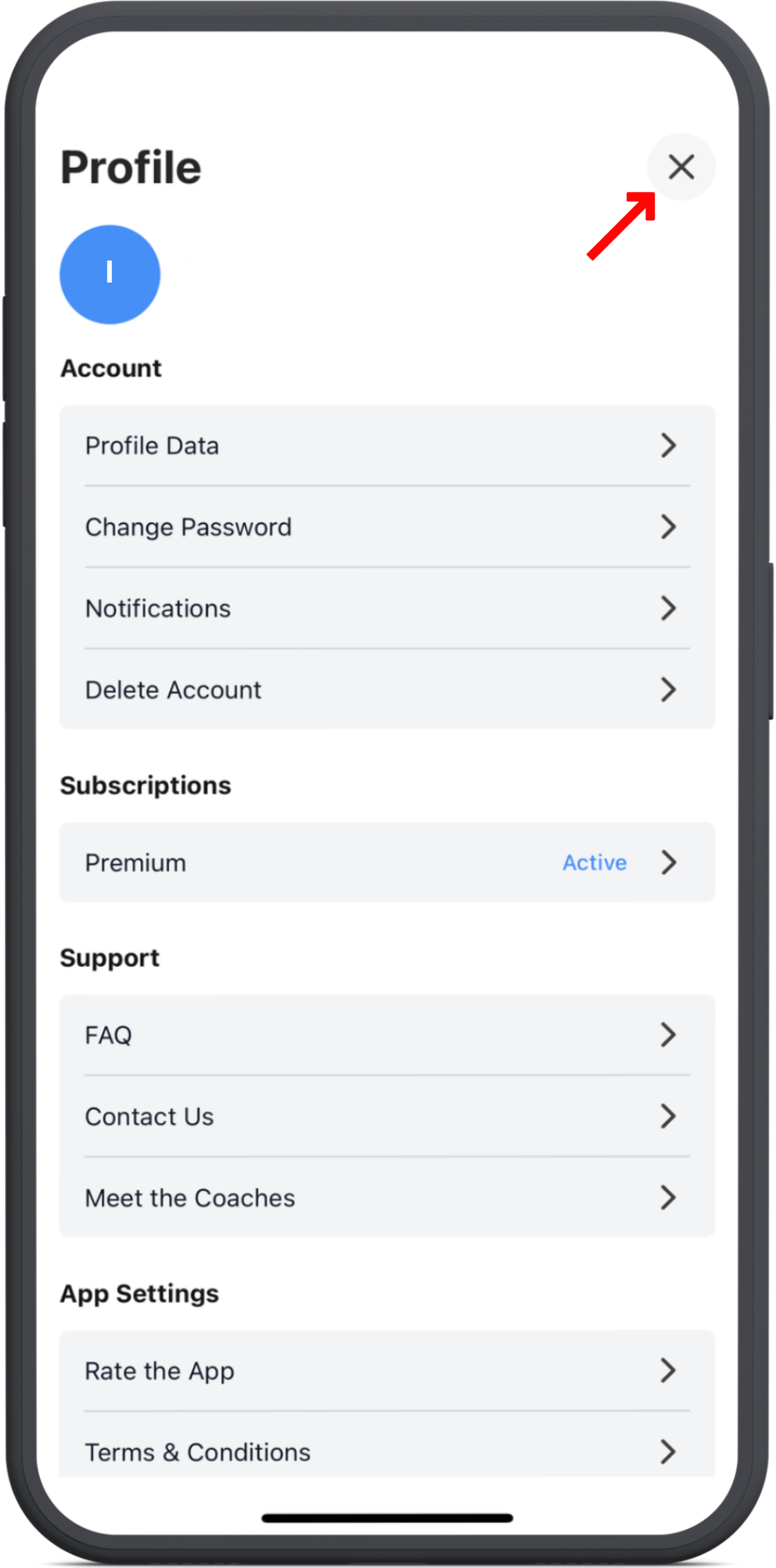
Then tap the X at the top right of your profile to return to My Training.